
Link Implementation Guide
Many Yodify clients use a subdomain that describes the purpose of their Yodify site. Examples would look like https://store.apex.com, https://catalog.apex.com, or https://shop.apex.com.
If you are using your Yodify site to promote a single brand, it might also make sense to call it something like https://winters.apex.com or https://parker.apex.com
Contact your Yodify rep and instruct us what you want your naming convention to be.
See which tab below applies, and follow the simple instructions to bring customers to your Yodify-site when and where it makes sense for your business.
Brands
This is the simplest method of cross-linking your websites.
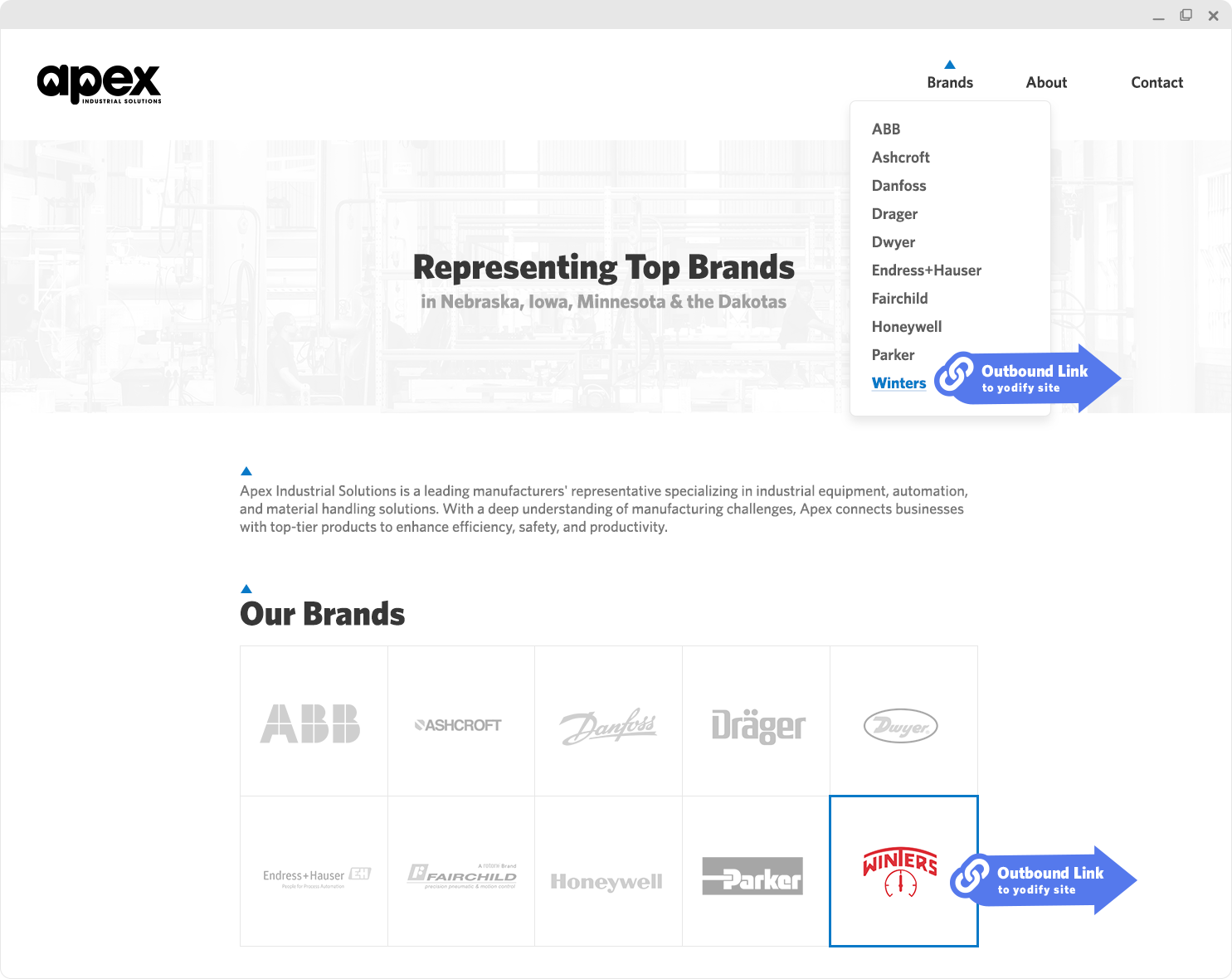
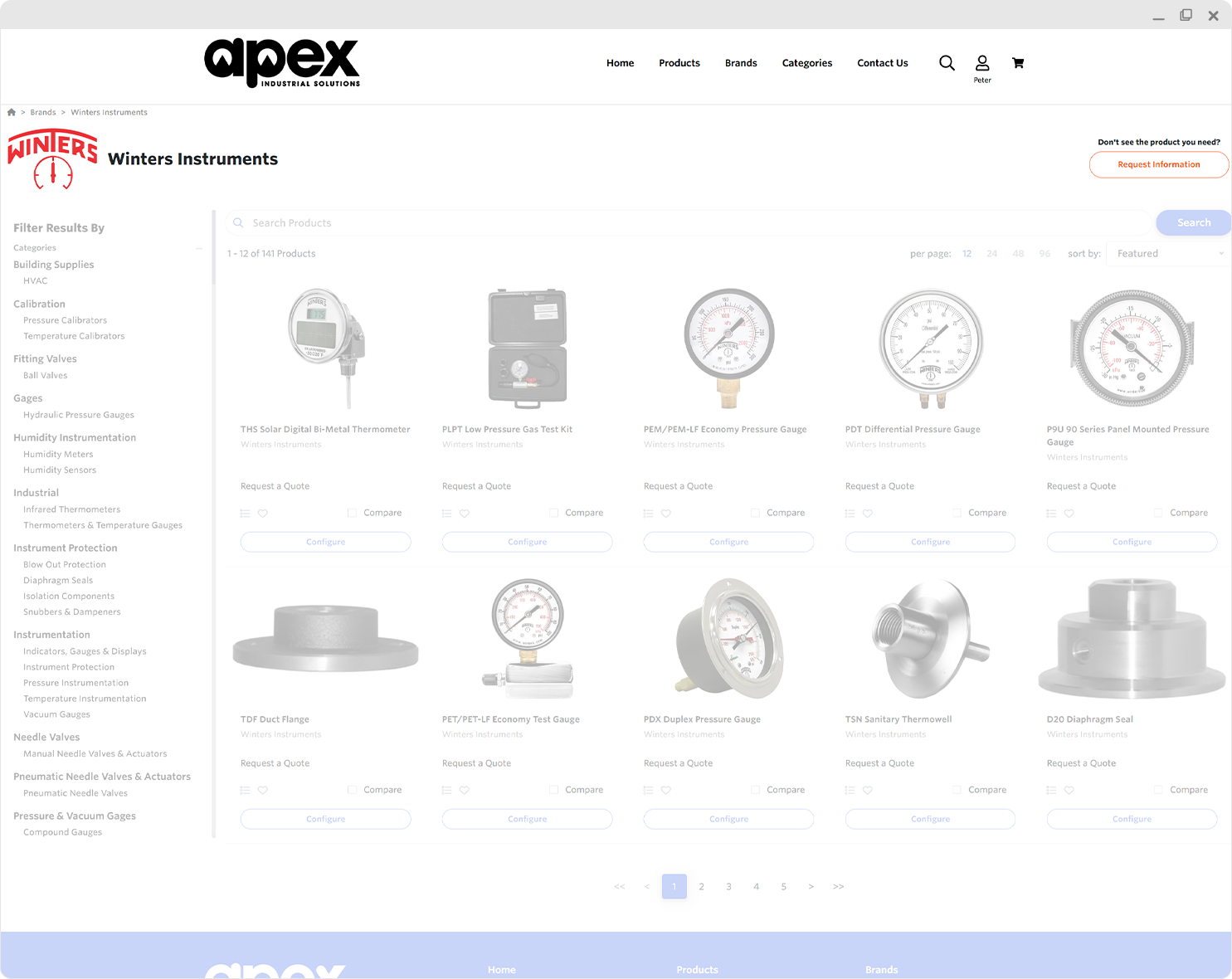
Linking from you brand pages allows you to leverage SEO and existing traffic from your own website while also being straightforward to link, with only a few brand pages to manage.
Providing links from your non-Yodify site to your Yodify catalog or store at the brand level provides the broadest access to your Yodify site.
Link from your header and footer navigation structure, any home page links, or from your line-card page and drive customers to product content for more accurate quoting, purchasing, and deeper engagement with your site and business.
Categories
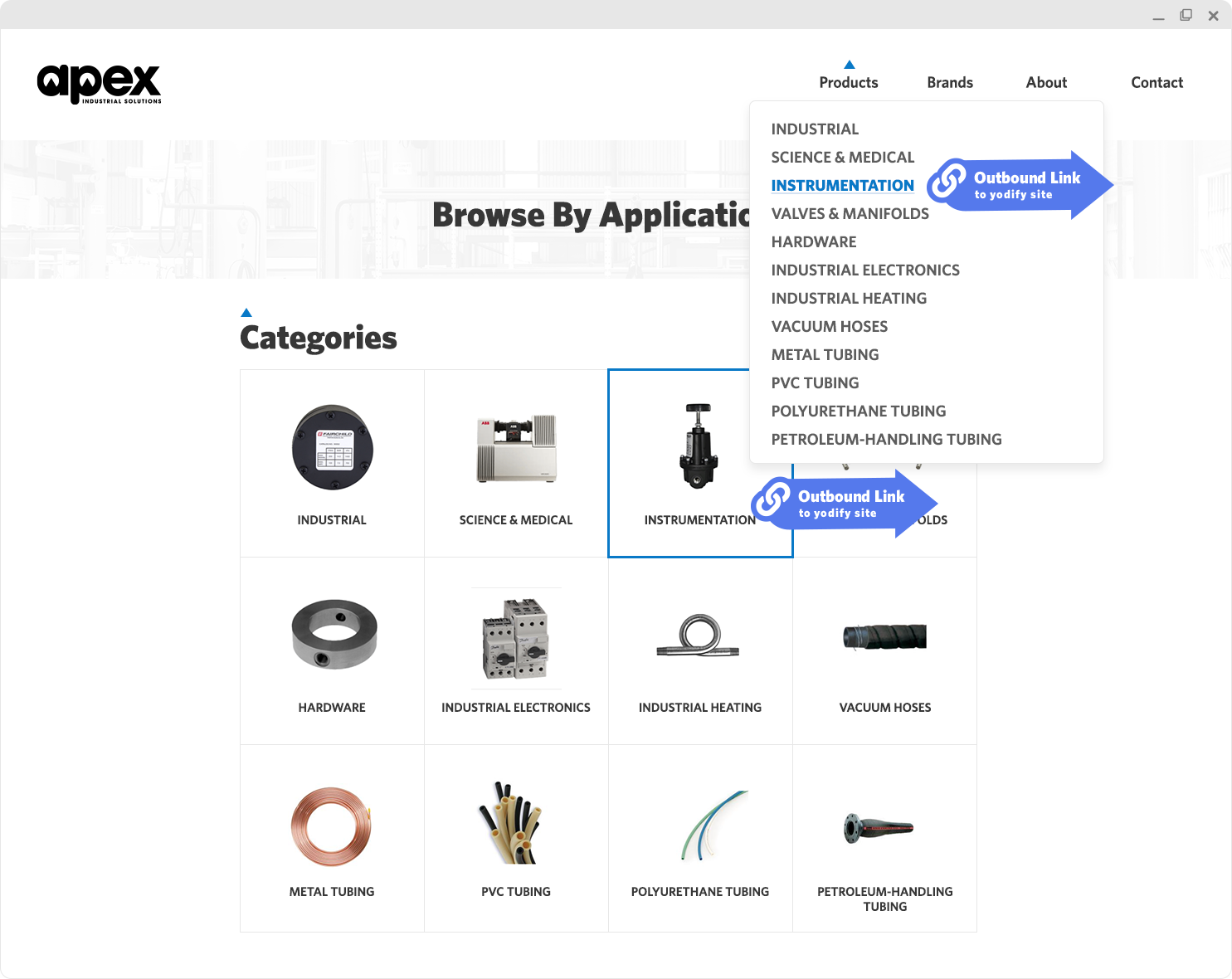
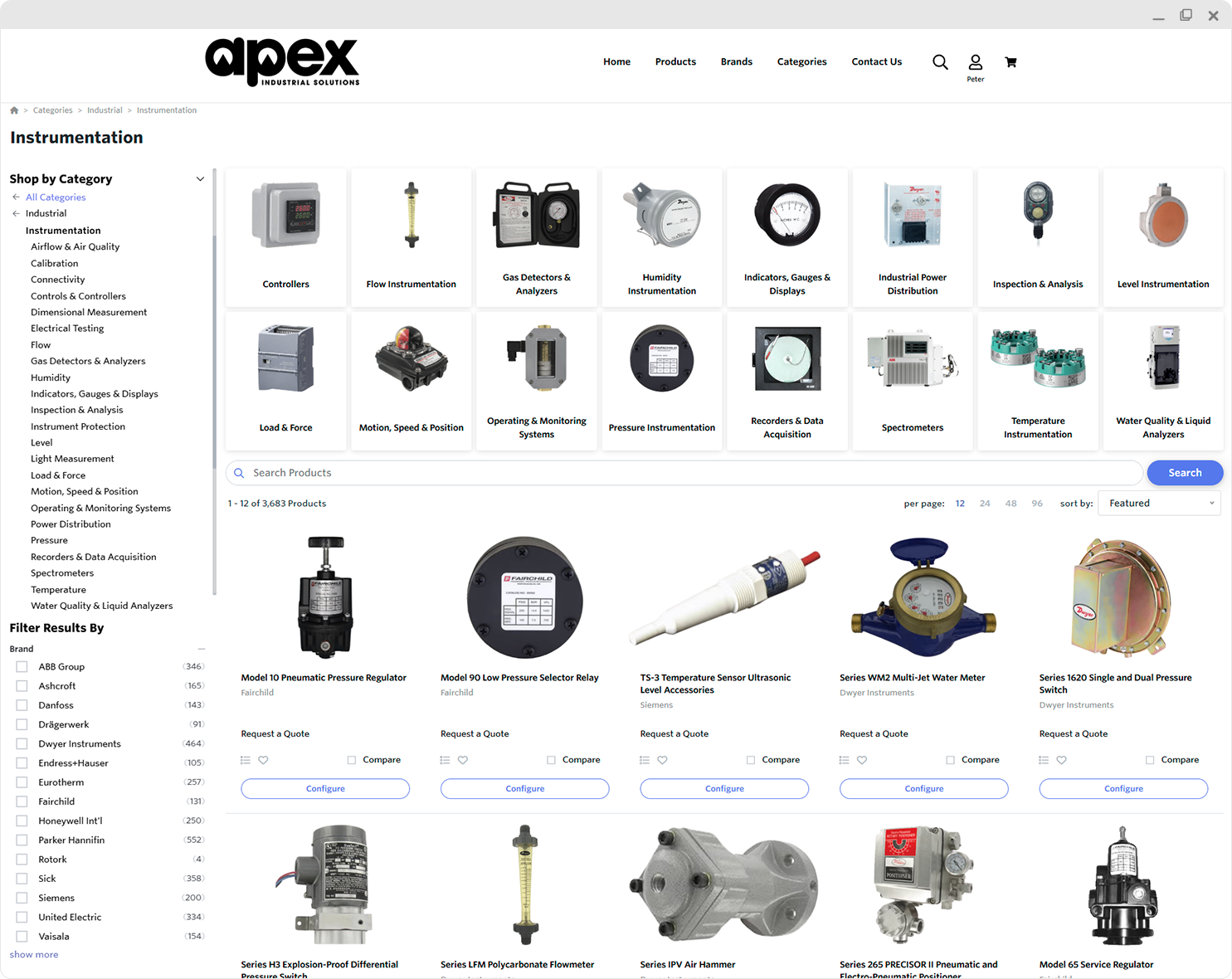
Driving traffic to your Yodify catalog from your category navigation structure allows you to create a seamless user experience between both environments, without doubling the content you have to manage within the categories on your non-Yodify site.
Link to your categories from the navigational structure of your non-Yodify site to provide product content and engaging quoting & purchasing options while reflecting the structure of your main site.
Drive users to the category they are looking for in your non-Yodify site, then provide the content they need in your Yodify catalog/store.
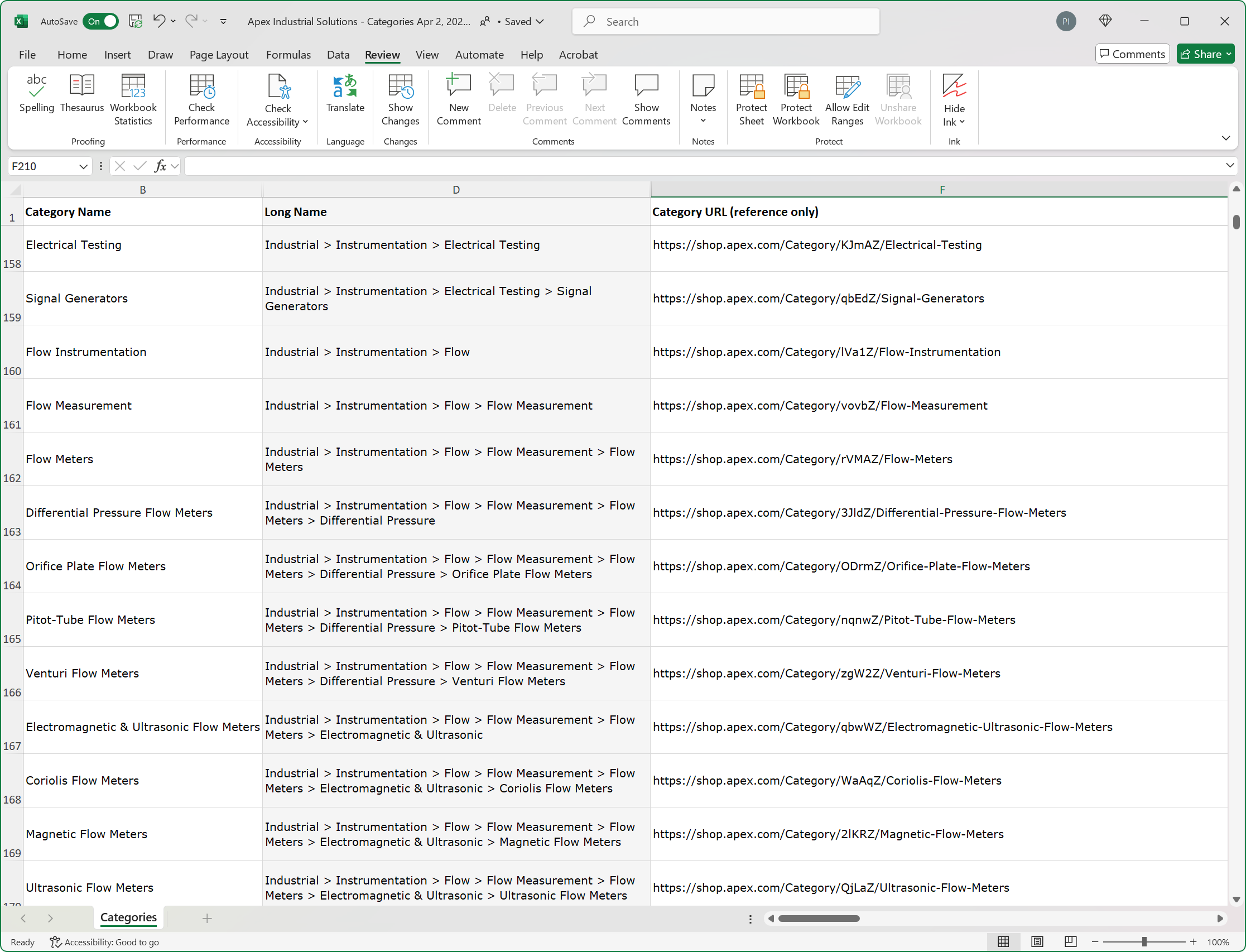
Speed Your Linking with a Spreadsheet Reference
Categories
Visit the Category Import/Export page of your Admin Portal and export your category spreadsheet to generate a list of easily copied URLs to create links from your non-Yodify site directly to your Yodify categories.
Note: Only "Custom Categories" are available for import/export.
Products
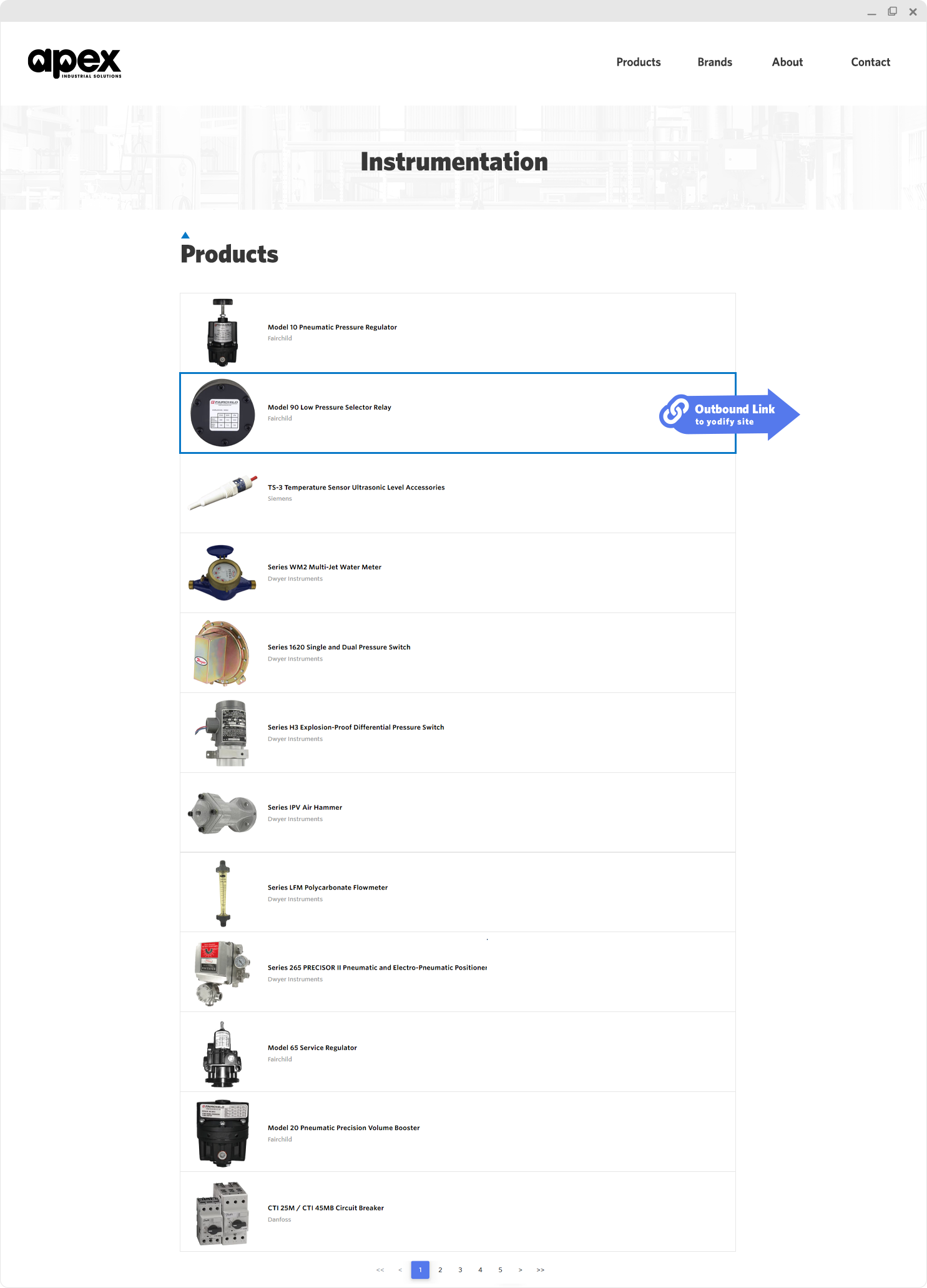
Linking from your non-Yodify website at the product level is the most labor intensive method and increases the risks of broken links.
This approach is recommended if you already have your catalog built out on another platform, but want to leverage Yodify's powerful quoting, configuration and e-commerce functionality.
If your non-Yodify website lacks product content, provide links to your Yodify catalog to keep your customers in your business's ecosystem and provide them with all the detailed tools they need to research, quote, or purchase your products.
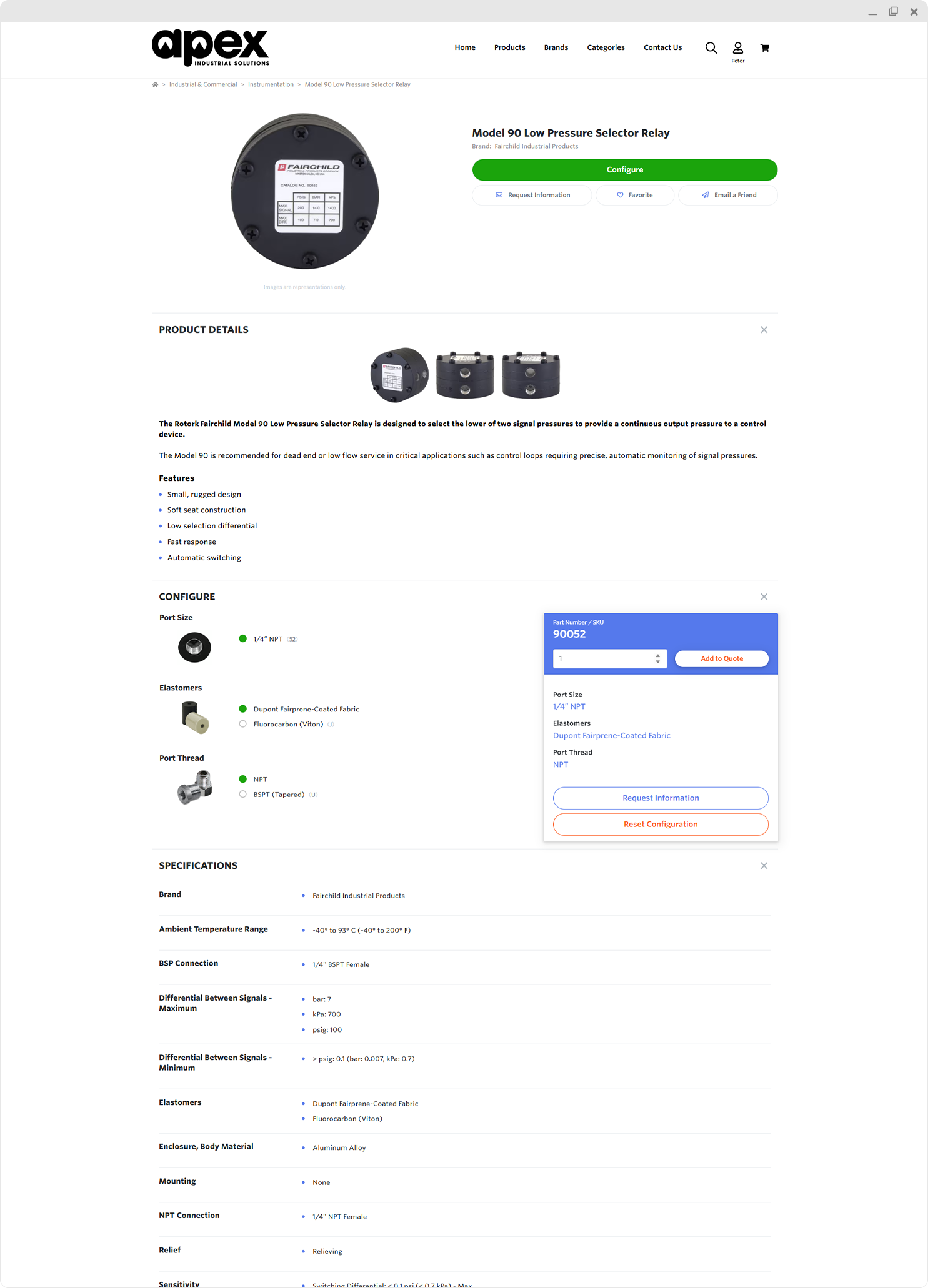
Speed Your Linking with a Spreadsheet Reference
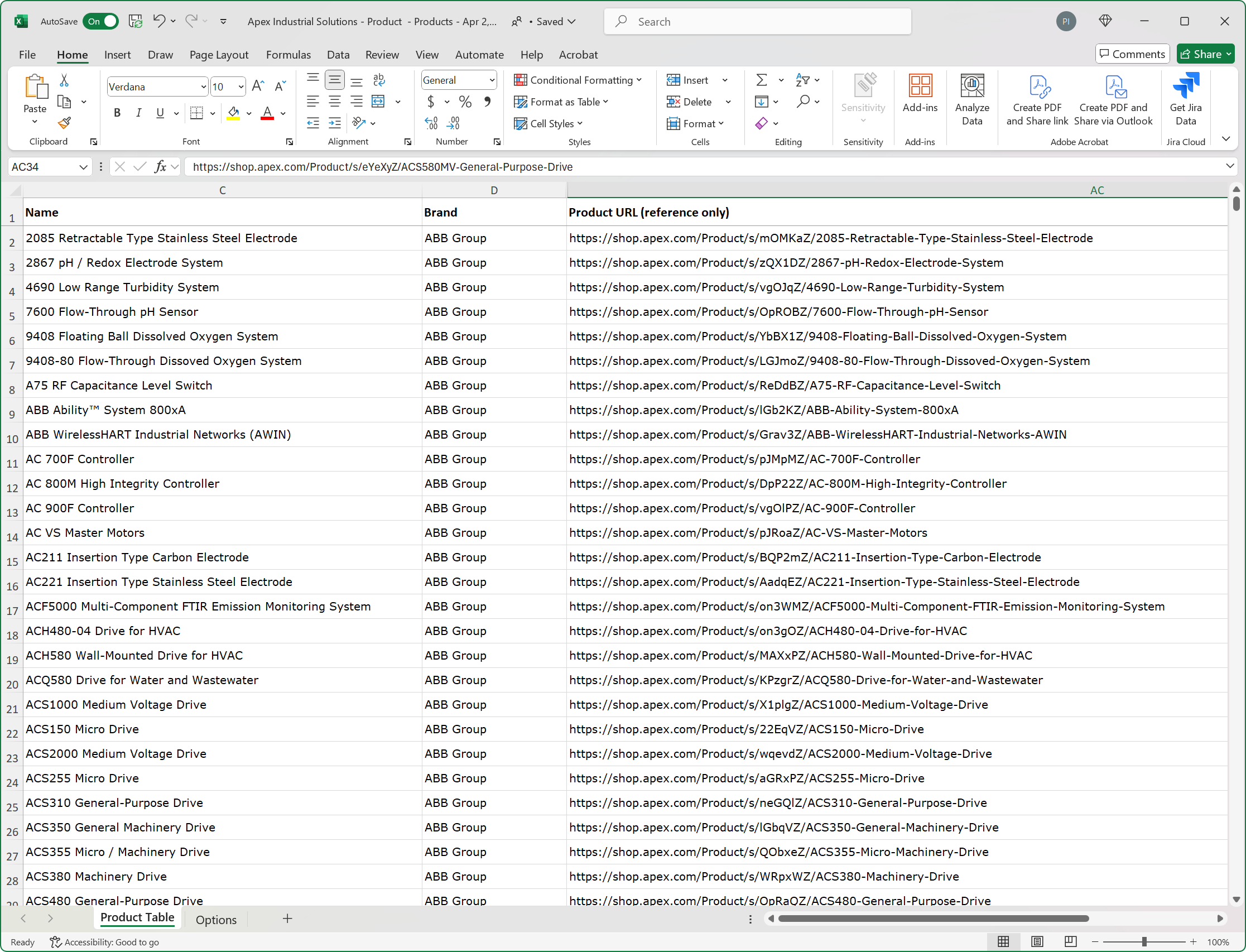
Products
Visit the Product Import/Export page of your Admin Portal and export your product spreadsheet to generate a list of easily copied URLs to create links from your non-Yodify site directly to your Yodify products.
FAQs
The complete Yodify solution delivers ease-of-use for you and your team members, and the ideal experience for your customers. We'll help you easily migrate to the ultimate catalog, e-commerce, and distributed enterprise catalog platform used by manufacturers, wholesalers and distributors the world over.