

Shipping Rates, Collect Shipping & Local Pickup
Use one or more shipping calculation methods to fit your regions and products.
Set Your Rates
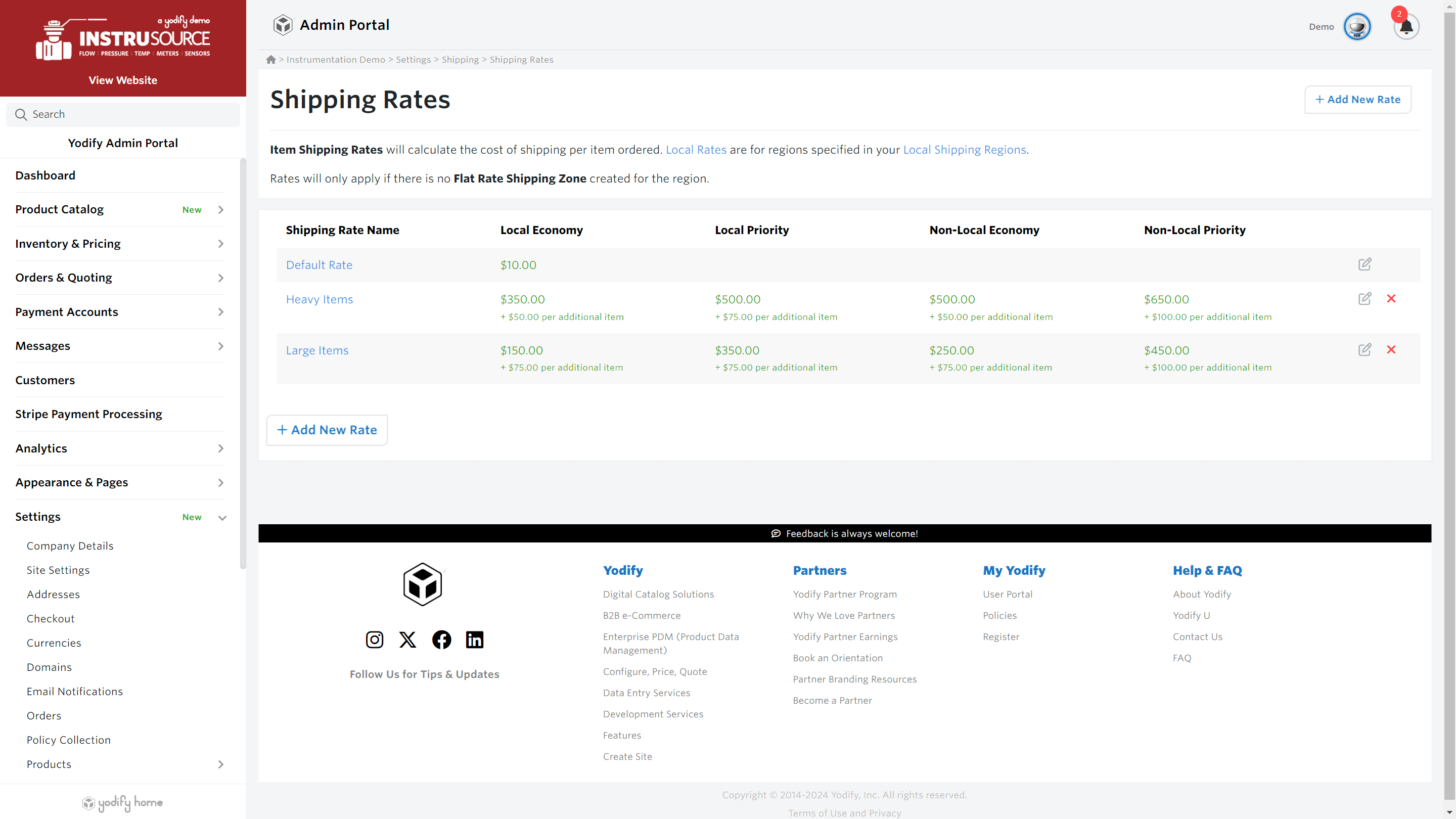
Create & Manage Shipping Rates
Create and manage as many shipping rates as you need to fully encompass your broad range of product offerings.
Each shipping rate covers 4 shipping types:
- Local Economy (Default)
- Local Priority
- Non-Local Economy
- Non-Local Priority
Set the cost per shipment, or per item and assign your products the shipping rate you've created through your Inventory & Pricing spreadsheet.

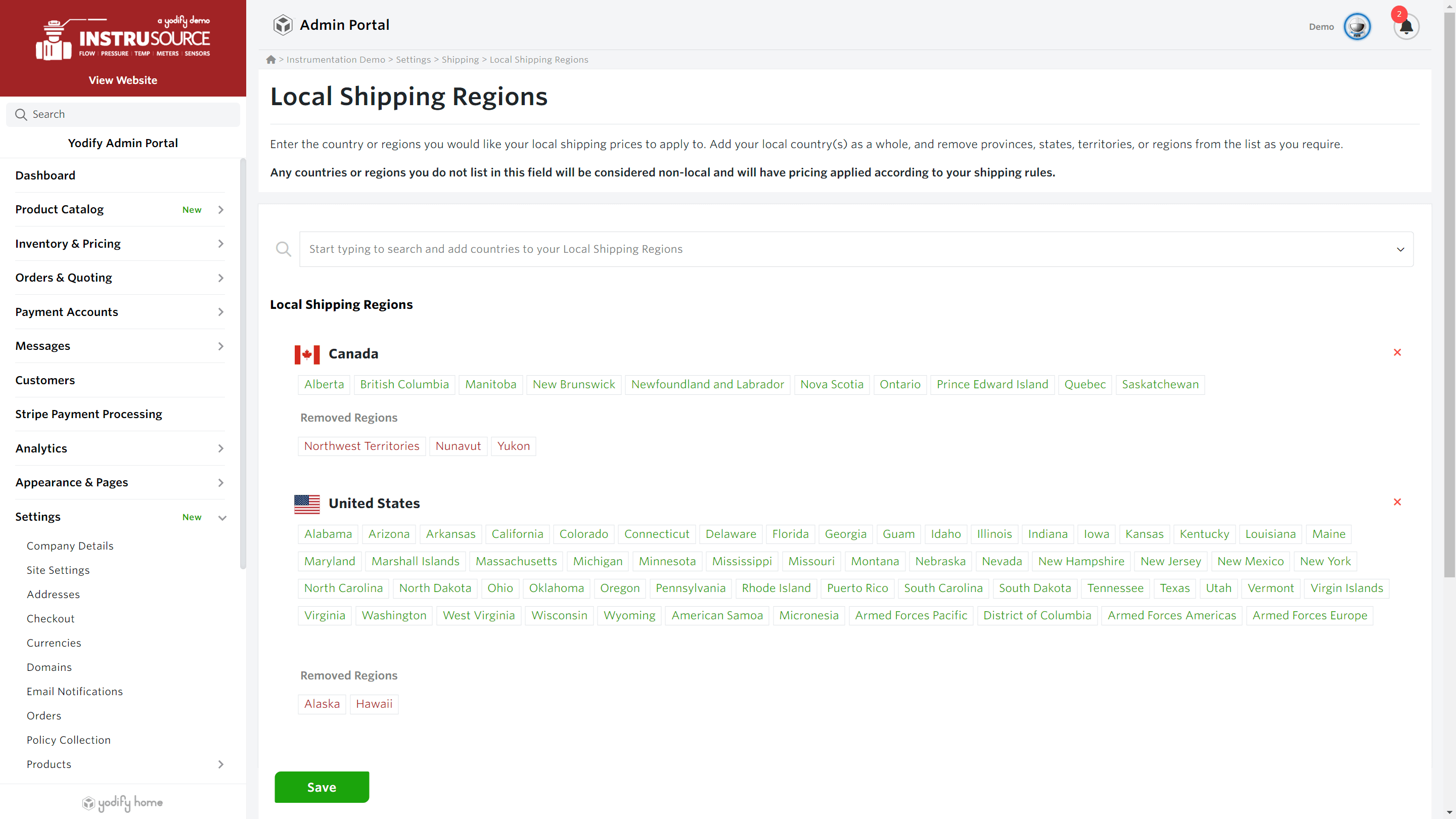
Local & Non-Local Regions
Easily determine which geographic regions your business considers local for shipping purposes. Any region not set as local is considered non-local.
Have areas you don't want to serve?
Set up Territorial Restrictions and limit availability by brand, product, or even individual SKU. You control the geographic regions where your products are available.
Have areas you don't want to serve?
Set up Territorial Restrictions and limit availability by brand, product, or even individual SKU. You control the geographic regions where your products are available.
Flat Rates
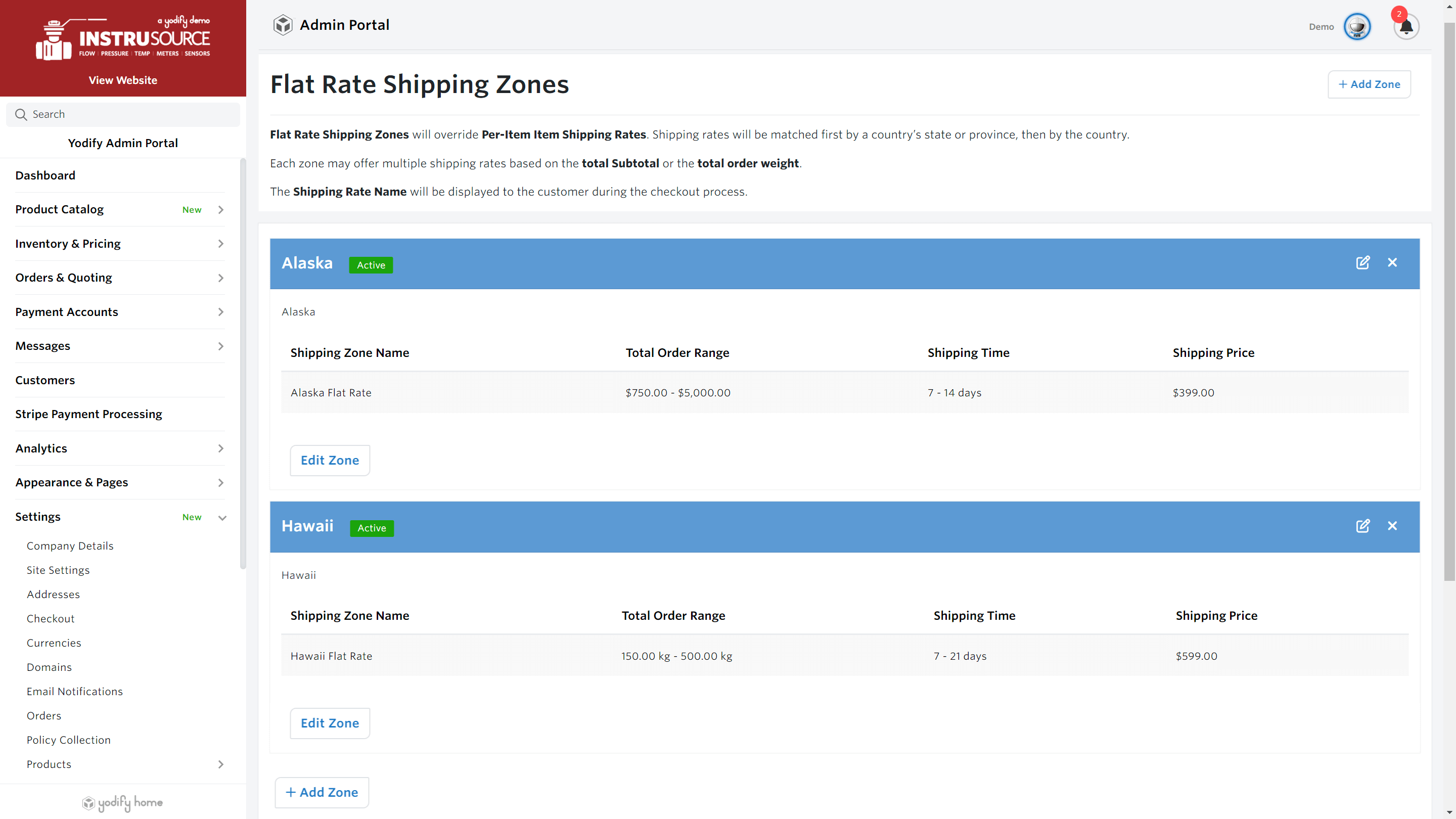
Create Flat Rates Based on Order Weight or Order Value
Encourage Larger Orders
Merchants can strategically set a rate that incentivizes customers to buy more products per order.
Employ predictable shipping rates as a selling point (e.g., "Flat Rate Shipping $5 Anywhere"), attracting customers seeking simplicity.
Order Value
e.g. $10 shipping for orders under $50 and free shipping for orders above $50.
Order Weight
e.g. $5 for orders up to 5 lbs and $10 for orders over 5 lbs.
You're in complete control of the rates you set for order value and order weights.
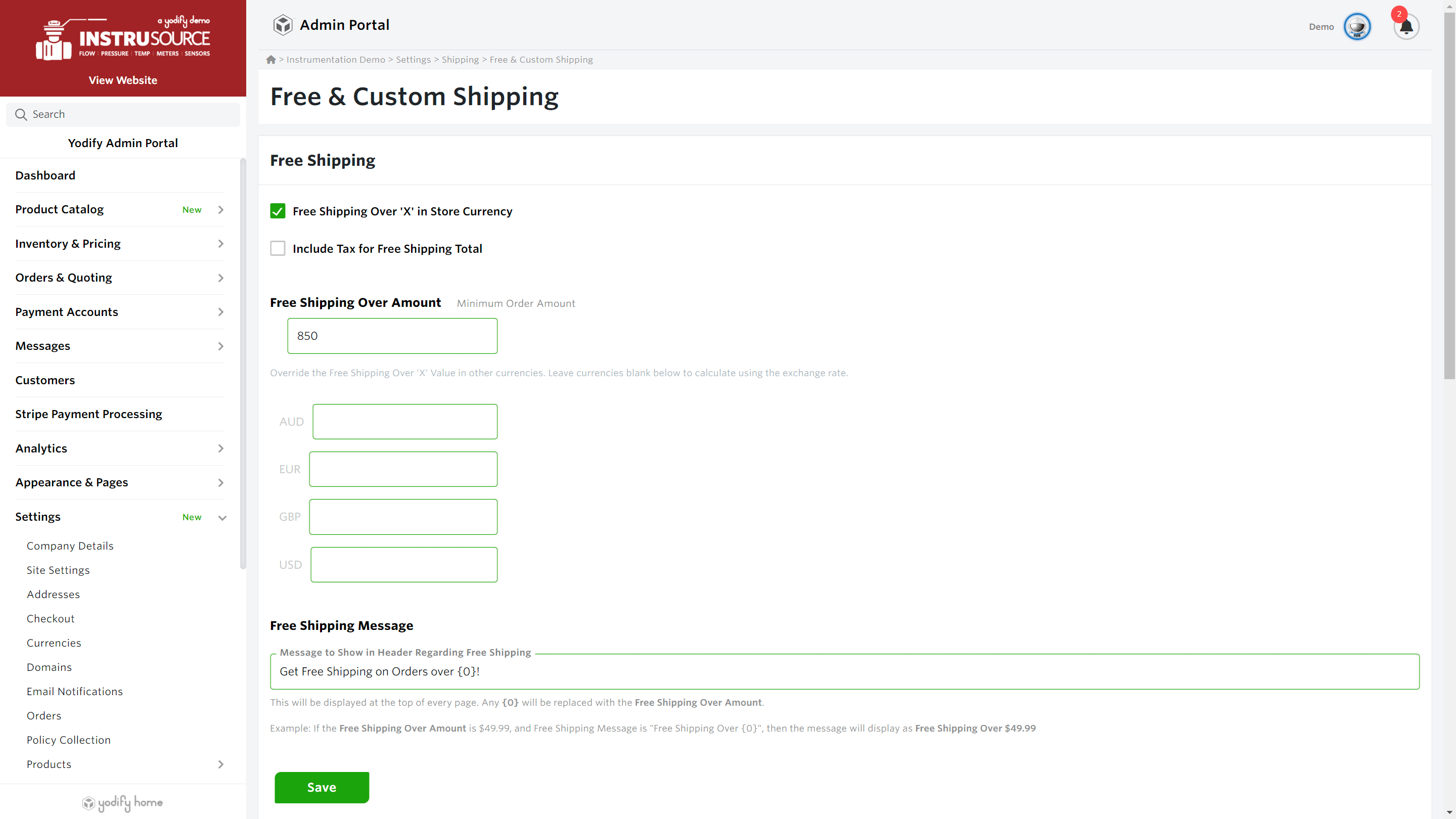
Free Shipping
Incentivize Larger Orders
Encourage your customers to make larger purchases with Free Shipping.
Offer free shipping at any order value you like.
Display a custom message that appears under your header and/or your SKUs to remind your customers of your free shipping offer.
Offer free shipping at any order value you like.
Display a custom message that appears under your header and/or your SKUs to remind your customers of your free shipping offer.
Collect Shipping & Pickup
Pickup for Local Customers
Turn on Enable Pickup in Store in your shipping settings to give your customers the option to pick up their orders from your location.
Collect Shipping for Customers with a Payment Account
Many businesses have an arrangement with shipping companies and couriers they prefer to handle their shipping logistics. Empower these clients to enter their own courier information and organize pickup from your business. This is for your customers that belong to a Payment Account, who then have the option to enter their own Shipping Carrier and Carrier Account Number during the checkout process.
Collect Shipping for All Customers
You can also allow all customers the option to enter their own Shipping Carrier and Shipping Account number during the checkout process, so they're responsible for paying the shipping costs directly.

FAQs
Yes! If you have the weights and dimensions of all your products available, through an integration with a major shipping carrier you can deliver dynamic shipping costs at checkout based on the products you customers have in their cart, and their shipping destination.
Yes, Yodify's shipping rules are designed to work in concert with one another, you are free to establish shipping rules that work for each product type, and they will be dynamically combined and presented to your customers at checkout.